Introduction
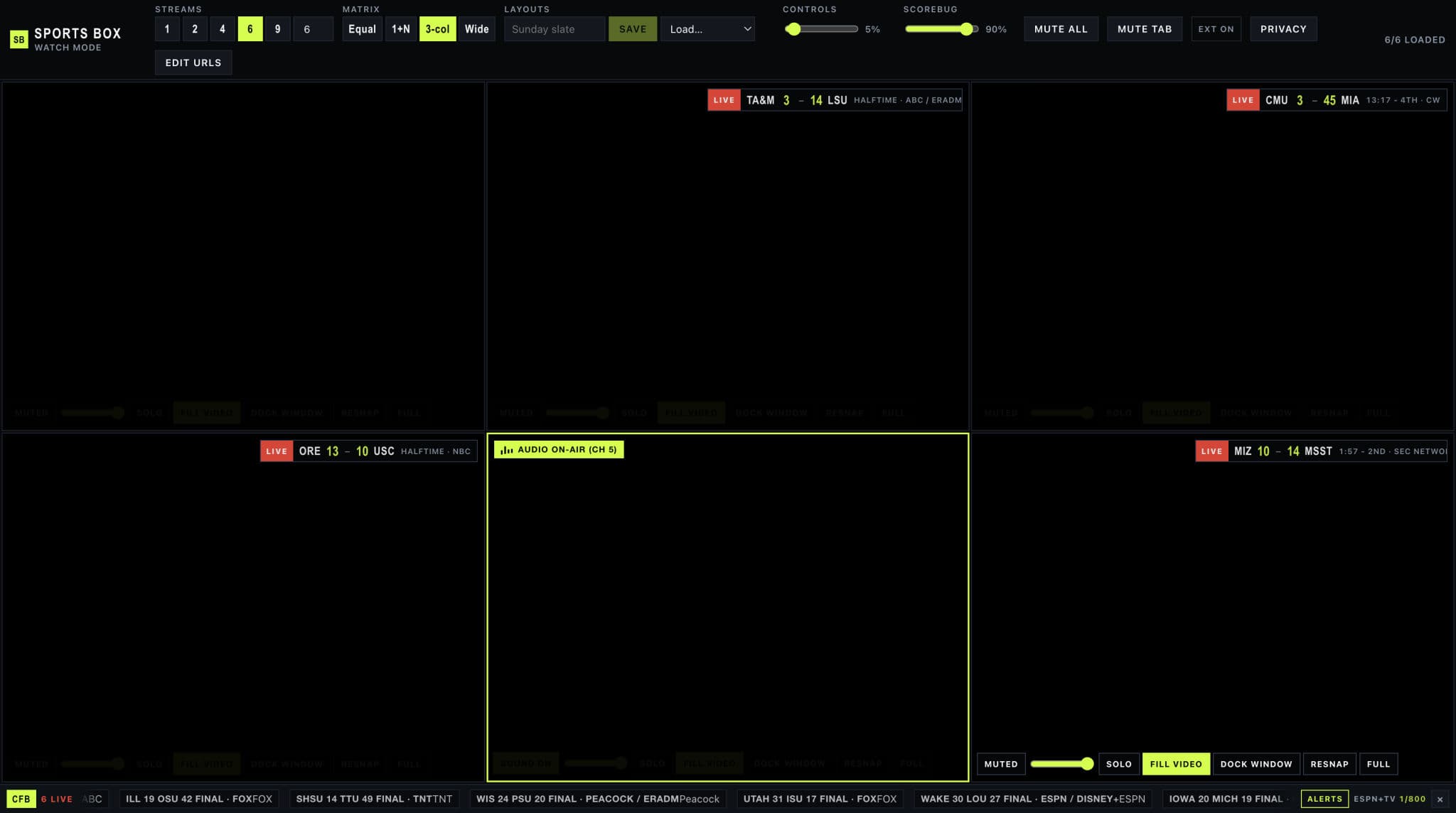
Sports Box is a multiview dashboard for a slate of live games. The UI is React. It ships inside a Manifest V3 extension, so game day does not depend on a local dev server. One to sixteen panels, four matrix presets, per-panel mute, Fill video, scorebugs, and a phone keypad on the same Wi-Fi.
Source: github.com/mitchelldawkinsjr/sports-box. The story is in A TV Wall in One Browser Window.
Status: Active — v1.7.0. Load unpacked from extension/ after npm run build:ext.
Problem & Solution
The Problem
- Tabs fight for audio. Unmuting one game rarely mutes the others, and embed pages set
mutedback themselves. - Frame headers blank the panel.
X-Frame-Optionsand CSPframe-ancestorsstop a second site from rendering inside the dashboard. - Login sites do not work in an iframe. Session cookies are not sent, so ESPN and the subscription apps sit on a spinner.
- The score is in another tab. Leaving the picture to check a ticker means you miss the play you opened the wall to see.
- The wall is full screen. Changing audio from the laptop means getting up.
The Solution
- Bundle the dashboard in the extension and open it from the toolbar icon
- Strip frame-blocking response headers with declarativeNetRequest so pasted pages can render in panels
- Own mute in the page world, scoped per panel, with solo as the default unmute
- Dock login-gated sites as real Chrome windows and mirror the picture into the panel
- Read public scoreboards in the page, link a game to a panel, and alert on close games
- Run a LAN hub when you want the phone as a keypad
Architecture
| Layer | Role |
|---|---|
Dashboard (src/) | React UI: slots, layouts, ticker, remote client. Built by Vite into extension/app |
Service worker (extension/background.js) | Open the dashboard, route audio and Fill video, dock and snap panel windows |
Header rules (extension/rules.json) | Remove X-Frame-Options and CSP on http and https frames |
Page-world mute (extension/mute-main.js) | Patch play(), set muted and volume, walk shadow roots |
Fill video (extension/content.js, focus.css) | Find the real player in one frame tree and pin it to the viewport |
Bridge (extension/bridge.js) | window.postMessage from the dashboard to the service worker |
Remote hub (scripts/remote-hub.mjs) | LAN HTTP + SSE. PIN-gated commands from the phone, state from the desktop |
Phone keypad (remote/) | Static page the hub serves |
Message flow
Dashboard  --postMessage-->  bridge.js  --runtime.sendMessage-->  background.js
                                                                  │
                                    scripting.executeScript  <----┤
                                    (one panel's frame tree)      │
                                                                  │
Login-gated URL  -->  chrome.windows.create (snapped to the panel)
                      tabCapture stream id  -->  muted <video> in the panel
The dashboard never holds extension privileges. It asks. The service worker does the Chrome work.
Embed routing
resolveEmbed in src/utils/embedUrl.ts decides before a panel mounts:
| Kind | When | Player |
|---|---|---|
iframe | YouTube, Twitch, Vimeo, Spectrum, any other paste | Official embed or the page itself |
hls | Path ends in .m3u8 | hls.js, worker enabled |
external | ESPN, league sites, subscription apps | Docked window, picture mirrored back |
empty | Blank or unparseable | Nothing |
YouTube and Twitch mute through their player APIs. The iframe URL stays stable so a mute click does not remount the stream.
Audio
Solo writes muted: false on one slot and muted: true on the rest. The panel button, ⌘/Ctrl+1…9 (0 for channel 10, Shift for 11–16), a ticker click on an already-linked game, and the phone solo command all call it. A plain mute toggle still changes one slot, for the times you want two feeds. Volume 0 counts as muted. Unmuting a slot whose volume is stuck at 0 restores it to 1.
mute-main.js is registered with "world": "MAIN" and "all_frames": true. Isolated content scripts cannot patch HTMLMediaElement.prototype.play, and player bundles call play() on their own timer. The page-world script remembers the last mute and volume, reapplies them on every media node it can see (including open shadow roots), and relays the same payload into child iframes.
Each panel iframe is named sb-${slotId}. Audio injection is targeted at that frame tree. A command for channel 3 does not walk channel 4.
Docked sessions use chrome.tabs.update({ muted }) on the popup tab. attachTabMirror plays the tab-capture stream into the panel with the element muted. Sound stays on the source tab, so panel mute is not applied twice.
Fill video
focusPanel resolves frames in two passes:
chrome.webNavigation.getAllFramesfor URLs that loosely match the panel URL- An isolated probe for
window.name === "sb-${panelId}"
collectFrameTree then grows the set by parent id until the nested player frames are included. There is no fallback to "every frame." If nothing matches, Fill video no-ops instead of cropping the wall.
content.js picks a target by scoring videos (playing, readyState, pixel area) and iframes (area, plus a bonus for player-like URLs, minus a penalty for ad URLs). focus.css sets visibility: hidden on the page and position: fixed; inset: 0 on .sports-box-target. Spectrum URLs get ?sportsbox=1 so the crop can arm from the query string as well as from an explicit Fill click.
Scoreboard
src/utils/scoreboard.ts polls ESPN's site scoreboard for nfl, cfb, nba, and wnba. (site.api.espn.com is often blocked; site.web.api.espn.com returns the same scoreboard JSON.)
A panel stores an optional gameId. The scorebug reads that game. The ticker can filter to any non-empty subset of the four leagues.
CFBD is enrichment, not the live feed:
| Guard | Value |
|---|---|
| What it adds | TV network on college games |
| Cache | localStorage, at least 3 hours between media calls |
| Soft cap | 800 requests / month, under the free 1,000 |
/scoreboard | Off unless VITE_CFBD_USE_SCOREBOARD=true (paid tier) |
isCloseGameWorthWatching is period-aware. Football: margin ≤ 3 late in the third, ≤ 8 in the fourth or overtime. Basketball: margin ≤ 5 late in the third, ≤ 8 in the fourth or overtime. The banner is deduped per game id in sessionStorage and names the linked channel when there is one.
Remote hub
scripts/remote-hub.mjs listens on 0.0.0.0:8787.
| Route | Who | What |
|---|---|---|
GET /api/session | Desktop | PIN, port, LAN URLs for the QR code |
GET /api/events?role=host&pin= | Desktop | SSE stream of keypad commands |
POST /api/state | Desktop | Push { channels, layout, count, … } |
GET /api/events?role=pad&pin= | Phone | SSE stream of that state |
POST /api/command | Phone | { pin, command } relayed to the host |
GET / | Phone | The keypad in remote/ |
A wrong PIN is a 403. Commands are a closed union in parseRemoteCommand: solo, select, volume, mute, mute-all, layout, count, swap, move, showtime, watch, edit, focus. Unknown shapes are dropped before they touch React state.
Layouts and storage
layoutGridStyle maps four modes onto CSS grid. Hero (1+N) gives panel 0 column 1, spanning count - 1 rows, and stacks the rest in column 2. Equal, 3-col, and wide set column counts and even rows.
localStorage keys:
| Key | Contents |
|---|---|
sports-box-current | Slots (url, mute, volume, game id), opacities, leagues, layout mode |
sports-box-named-layouts | Saved boards |
sports-box-remote-hub | Hub origin, default http://127.0.0.1:8787 |
sports-box-cfbd-usage / sports-box-cfbd-media | Free-tier budget and TV cache |
Run it
git clone https://github.com/mitchelldawkinsjr/sports-box.git
cd sports-box
npm install
npm run build:ext
Chrome → chrome://extensions → Developer mode → Load unpacked → the extension/ folder. Click the toolbar icon.
Phone keypad, same Wi-Fi, hub left running:
npm run remote
Open Sports Box → Remote → scan the QR. Optional TV networks: copy .env.example to .env.local and set VITE_CFBD_API_KEY, then rebuild the extension.