A Ballot You Can Actually Read
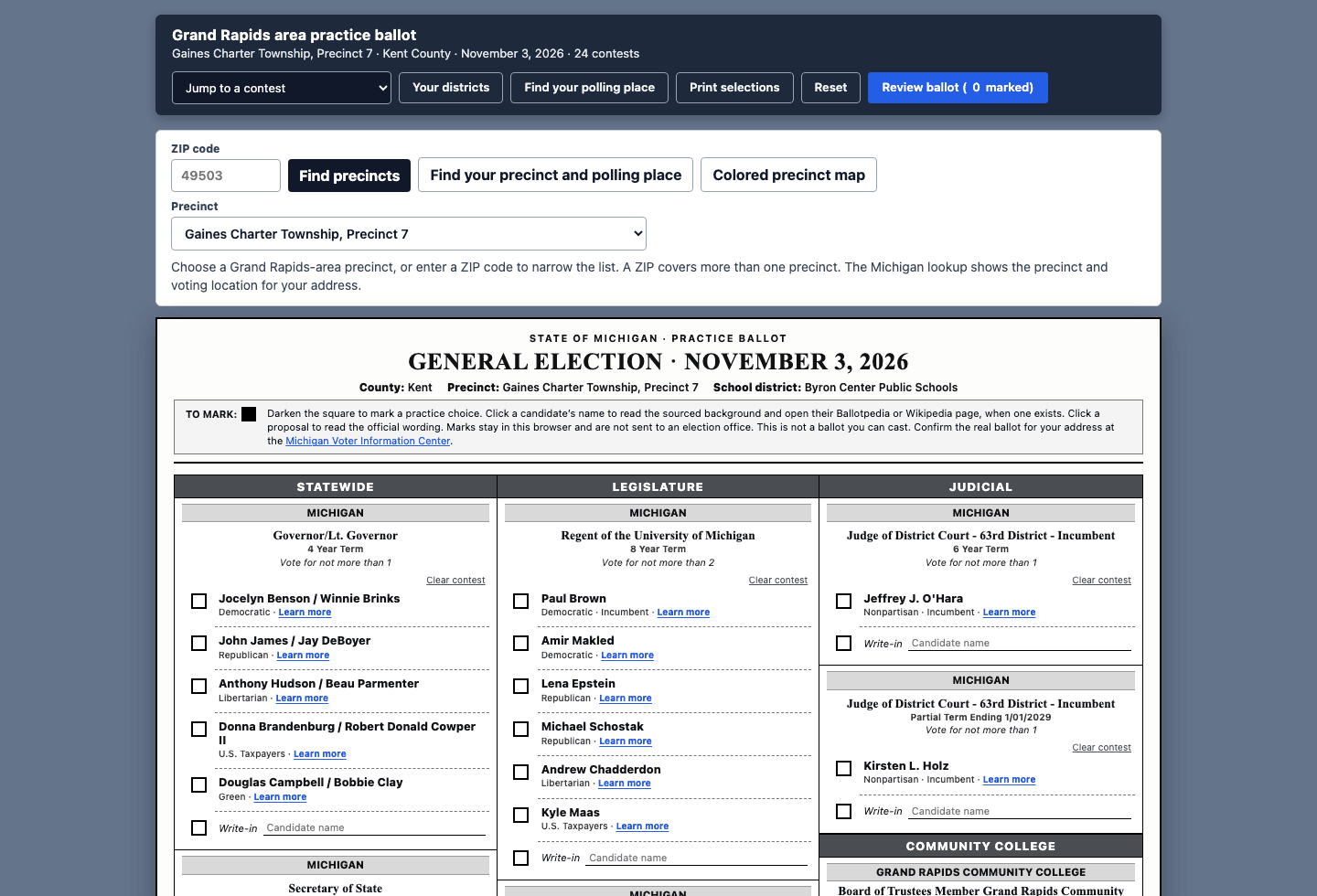
The county list for November 3, 2026 is one PDF. Governor through school board, then four proposals, two of them millages written as a rate per thousand dollars of taxable value. I can read it. I cannot hold it. By the time I reach the jail millage I have forgotten who was on the university boards.
So I built a practice ballot for the Grand Rapids area. Pick the precinct. The page keeps the contests that precinct shares and lays them out like the paper ballot: three columns, a box to mark, a short note, and a link when I want the source. The build notes are on the project page.
The product in one sentence
One precinct, one sheet, and a dollar figure next to the millage before I decide yes or no.
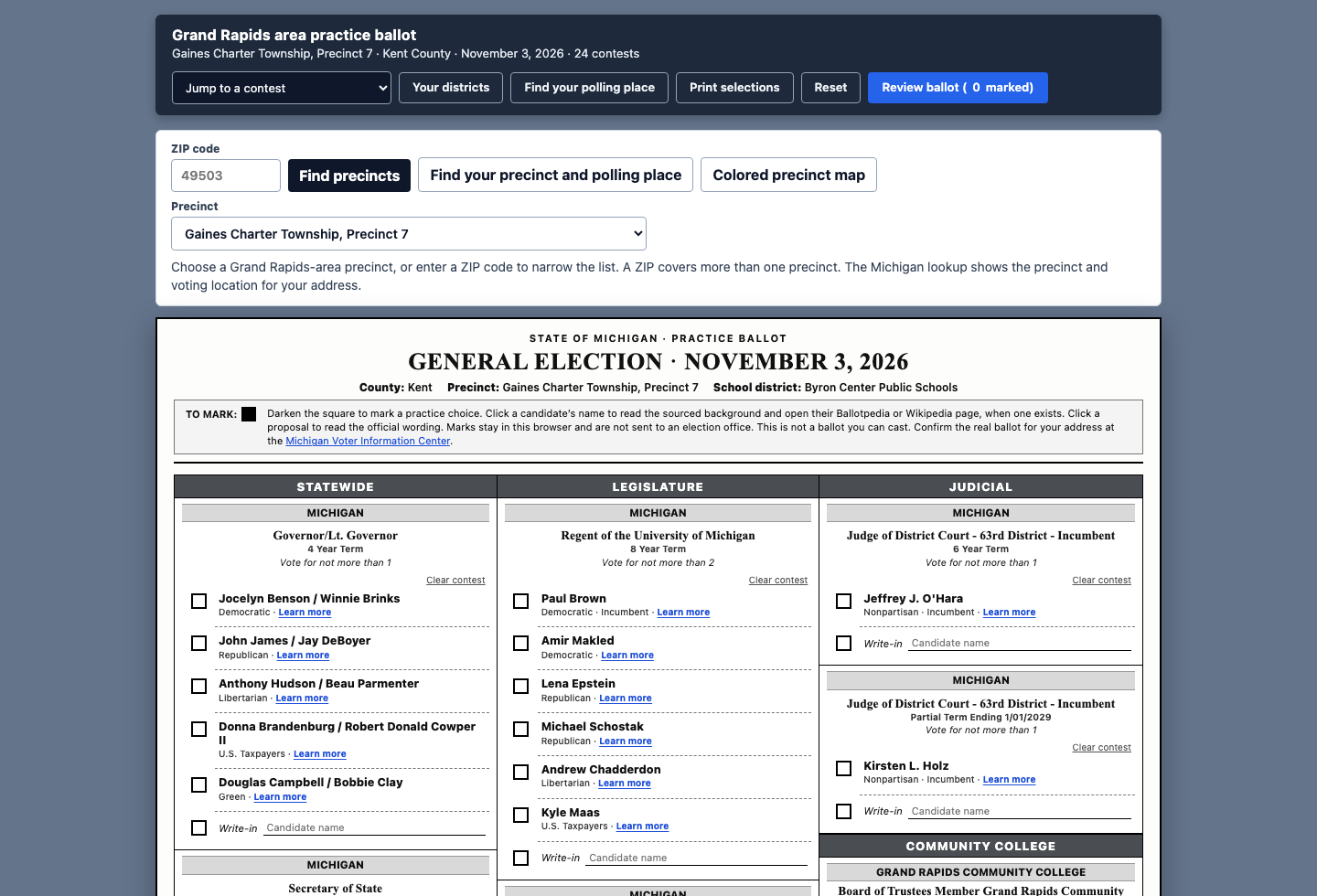
It opens on Gaines Charter Township, Precinct 7, in the Byron Center schools. The catalog behind the menu is 132 precincts: Grand Rapids, Wyoming, Kentwood, Walker, Grandville, East Grand Rapids, Gaines, Byron, and Grand Rapids Charter Township. A ZIP code narrows that menu. It does not pick the precinct. A ZIP is bigger than a precinct, and the page says so.
What a long ballot hides
Twenty-four contests sit in the county file. Eleven of them are statewide, so every precinct in this guide sees them. The rest depend on Congress, the state House and Senate, the court district, the community college, and the school board. Precinct 7 does not need Grand Rapids city wards. A Grand Rapids precinct does not need the Byron Center school board.
The page stores each contest once, with a scope such as statewide, congress-3, or school-byron. A precinct is a list of those scopes. Changing precincts filters the same list. It does not load a second ballot.
| What you do | What the page does |
|---|---|
| Choose a precinct | Shows only contests whose scope that precinct includes |
| Enter a ZIP | Shortens the menu, then waits for the precinct |
| Mark a box | Saves the mark in this browser |
| Open Learn more | Shows a short sourced note, the filing line, and the outbound links |
| Type a taxable value | Prices the two Kent County millages on that number |
Marks never leave the machine. Review and print are a practice record. The banner says so, and the Michigan Voter Information Center stays one click away for the ballot an address can actually cast.
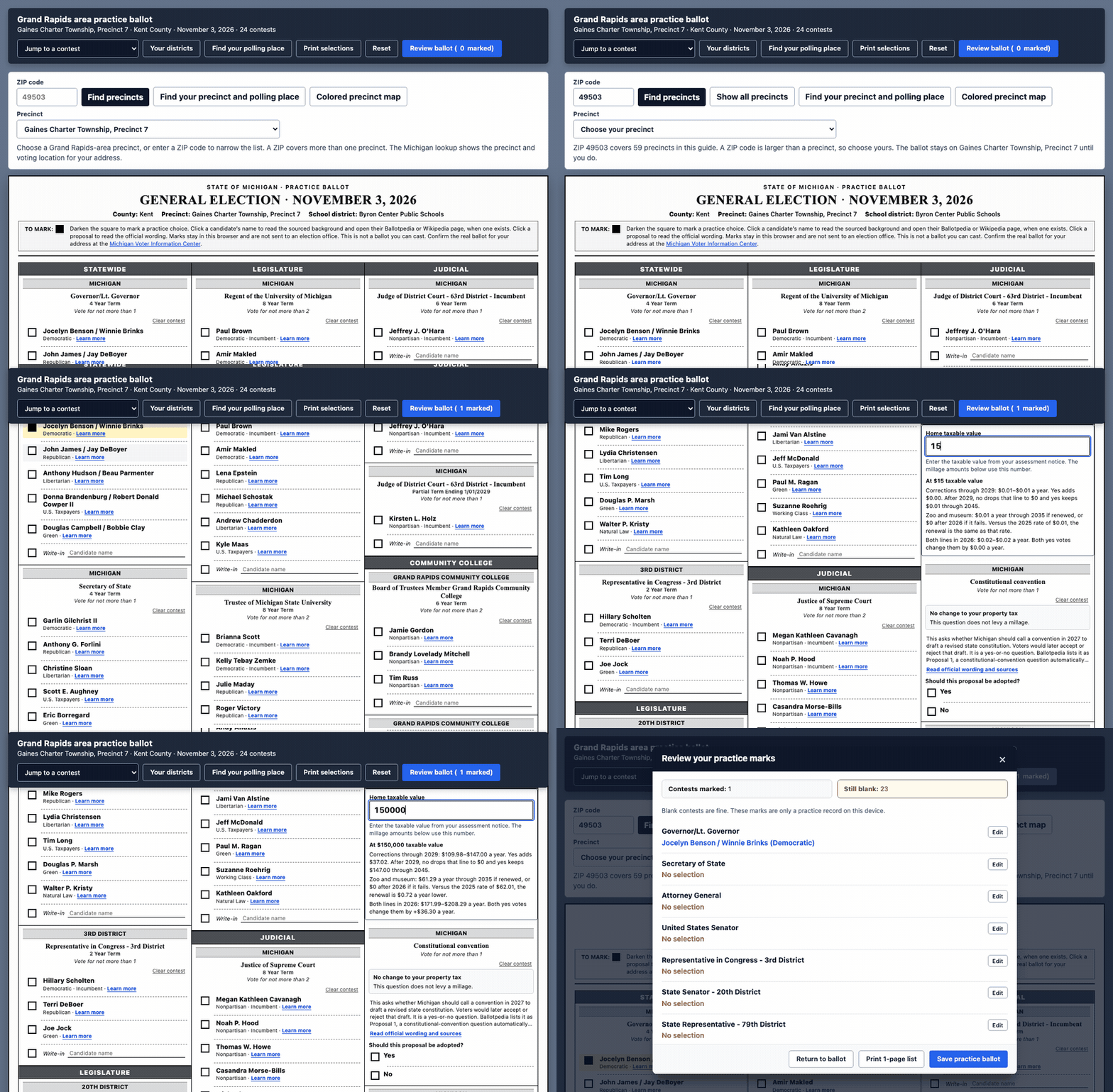
Mills are a rate. The question is the bill.
Two of the proposals are county millages. The corrections question asks for 0.98 mill through 2045, against a 0.7332 mill baseline. The zoo and museum question asks to renew 0.4086 mill through 2035, set next to the 2025 rate of 0.4134 mill.
A mill is one dollar per thousand dollars of taxable value. The page takes the taxable value from the assessment notice, not the market price of the house, and writes the yes amount, the baseline amount, and the gap. For an increase, that gap is also shown per month. For a renewal, a no vote is the line ending, not a drop back to the old rate forever.
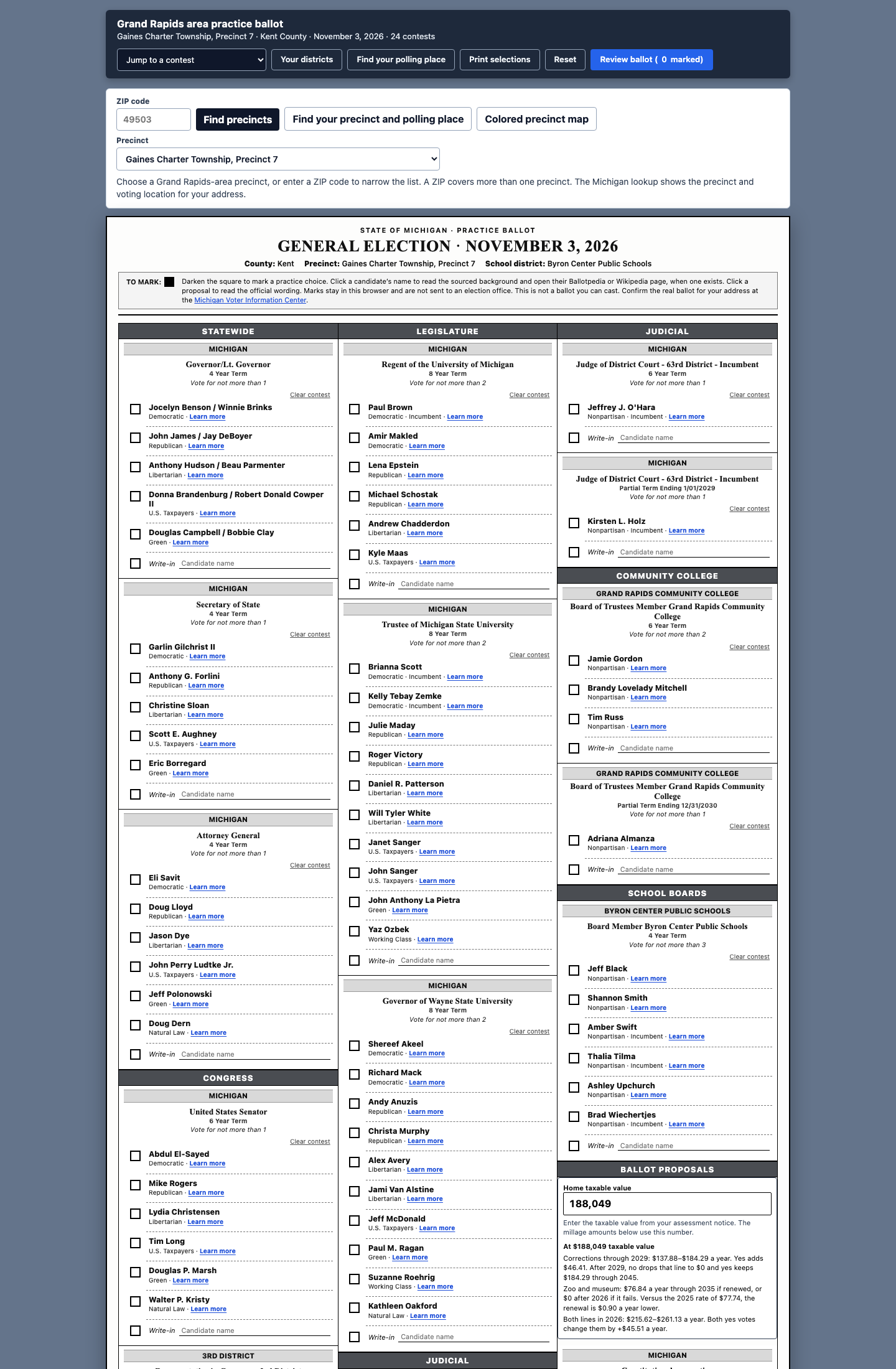
The other two proposals stay in words. One asks whether Michigan should call a constitutional convention. One is the campaign-finance initiated law. They do not need a calculator. They need the question on the same sheet as the names, so the measures are not a separate homework assignment after the offices.
Human Reflections
Election cycles come and go but information seems to always be missed. Most in my community vote, every voting cycle I would hear friends and family talk about not knowing all "these things" were on the ballot. So I set out to build something that would make the information more available to the voters and in a format that will soon be seen at the voting polls. I did not want a voter guide that recommends a side. I wanted the long list to sit still: the people who are actually on this precinct’s ballot, a sentence on who they are with a link I can check, and the tax questions written as money. The marks stay in the browser because a practice ballot should not become a record of how someone voted.
Practice sheet: ballot.360web.cloud · Source: github.com/mitchelldawkinsjr/kent-elections · Build notes: /projects/kent-ballot.
Low to No Cost Solutions Series
Part 9 of 10